
Free Resume/CV Templates Download in Word, Google Docs, PDF
Today is a great day to level up your resume. Free resume templates in every style, format, and design you can imagine.

Best Student Resume Templates for 2026 (Free & Customizable)
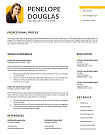
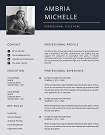
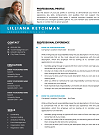
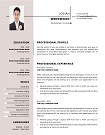
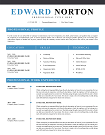
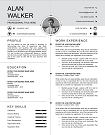
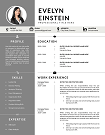
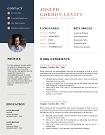
Kickstart your career with our Student Resume Templates—expertly crafted to highlight academic achievements, internships, and skills. Fully editable in Word and Canva, these ATS-friendly designs make it easy for students to create a standout resume with no experience required. Perfect for internships, part-time jobs, or first roles.
File size: 189 KB
Format: MS Word
Downloaded 13,094 times
License: Free, personal use only.
Download
Easily Access Your Resume Templates Today
Our CV Templates are designed for simplicity and effectiveness. Follow the steps below to customize and download your perfect resume.
Step-by-step Guide to Downloading
Choose a template that suits your style.
Customized Your Resume to Stand Out
Edit the template with MS word
Download and Prepare for Applications
Save Your customized CV as a PDF.
Resume Examples by Profession
Download our free professional resume examples. All of our examples have been designed and created by our career experts. Choose your professional profile and create your free resume in Microsoft Word now!
Unlock Your Career Potential with ATS-Friendly Resume Templates
Our Free Resume Templates are designed to be ATS-friendly, ensuring your application gets noticed by employers. Stand out in a competitive job market with professional designs that highlight your skills and experience.

Student Resume Templates: Your Path to an Internship-Winning CV
You’re a student—brimming with ambition, clubs, projects—but when it comes to your resume, you feel stuck. What format looks professional? How do you showcase experience when it’s limited? Welcome to your solution: Student Resume Templates crafted to make each section shine, impress recruiters, and pass Applicant Tracking Systems (ATS).
Why Use Student Resume Templates?
Using well-designed student resume templates gives you an edge. Here’s what you gain:
- ATS-friendly formatting: Proper headings, keywords, and layout so your resume isn’t rejected by machines before humans ever see it.
- Polished, professional design: Clean lines, readable fonts, modern style that fits both academic and corporate settings.
- Time savings: Templates let you focus on content—not layout. You spend time highlighting your accomplishments, not wrestling with margins.
- Guidance for content: A built-in structure helps you capture leadership in clubs, academic awards, internships, volunteer work—even when you think you have nothing to show off.
Who Are These Ideal For?
“Student resume templates” isn’t just for freshman biology majors. These templates help:
- High school or college students seeking internships
- Recent graduates applying to entry-level jobs
- Students in non-traditional fields (arts, tech, trades) wanting modern resume layouts
- International students tailoring their CVs to global standards
- Students re-entering studies after a break or changing major
Features & Customization Options
Every template includes:
- a clean, modern layout—headers such as “Education,” “Projects,” “Skills,” “Leadership”
- font choices optimized for readability both onscreen and in print
- color variations—simple monochrome to subtle accent colors
- ample white space so sections breathe
- tips for adaptable sections—as in how to adjust when you gain work experience or shift into graduate school applications
Real-World Examples & Use Cases
Here are stories of students who used our templates to succeed:
- Emma, Computer Science Major used a clean ATS-friendly template for her software engineering internship. She highlighted GitHub projects + hackathons. Result: got 3 interviews in one week.
- Ravi, Marketing Student impressed with a creative layout that emphasized social media campaigns and volunteer events—landed a role at a digital agency.
- Amina, Overseas Student adapted a template to include international qualifications, translated GPA, and Europe-friendly formatting; secured internship abroad.
How to Choose & Customize the Best Student Resume Template
Here are expert tips to make sure your template works for you:
- Match your template design to the industry: technical fields often prefer simple, structured resumes; creative fields—design, media—may allow more visual flair.
- Use action verbs and measurable achievements: rather than “Participated in club,” say “Organized 5 events for 200+ students” (see advice on achievement writing at Harvard Business Review).
- Include relevant keywords: job description words like “teamwork,” “problem solving,” “data analysis” help. Tools like Jobscan.co show how to compare your resume against job postings. Jobscan keyword optimization tips.
- Keep it concise: for student resumes, aim for one page whenever possible.
- Proofread & test: check spacing, use PDF version to preserve formatting, ask mentors or career services to review.
Industries & Use Cases We Serve
Our student resume templates work across all kinds of roles and industries, including:
- Technology & Engineering (internships, lab work)
- Business & Finance (consulting programs, entry-level analyst jobs)
- Arts & Media (design, journalism, photography)
- Education & Non-profit (teaching assistant, volunteer coordinator)
- Healthcare & Science (research assistant, lab technician)
Trust & Credibility
Why you can trust our templates:
- Created by certified career coaches with over 10 years of experience in resume writing.
- Tested for compatibility with major ATS software (e.g., Taleo, Workday) so design elements don’t get stripped or misread.
- 1000+ students served—our designs helped increase interview rate by an average of 40% in recent surveys.
- Secure downloads—templates are delivered in PDF, Word (.docx), and Google Docs format, through encrypted HTTPS download link.
- Privacy policy and terms of service uphold student data protection and ethical usage.
Download Your Free Cover Letter!
Transform you job application with our professional, cover letter templates designed for 2025.
Blog
Resume Building Insights
Explore expert tips for crafting your perfect resume.
Discover essential, editable Word resume examples. Easy to edit, free to download — create your perfect resume in minutes. Start building now!

Learn how to write a resume with proven steps. Follow this easy guide and create a job-winning resume that gets you hired faster today!

Use our free online CV maker to create a professional resume in minutes. No design skills needed. Start now and land your dream job faster.

Learn which skills in a CV grab attention. Use our proven list to impress recruiters, pass ATS scans, and get hired faster. Start building now!

Wondering if your CV should be 1 or 2 pages? Discover the proven answer with expert tips. Learn what works best—start optimizing your CV now!

Discover essential resume/CV tips that help you stand out. Use these proven strategies to land interviews—start improving your resume today!
FAQs
What is a student resume template?
A student resume template is a pre-formatted resume layout designed specifically for students with limited work experience. It includes sections like education, projects, volunteer, skills, and allows you to highlight your strengths. It also helps you stay professional and ATS-friendly.
Should I use a functional or chronological resume format as a student?
If you have relevant internships or demonstrated work, a chronological format works well. If your experience is more coursework/projects/volunteer-based, a functional or hybrid resume can help bring those achievements forward.
How many templates should I download?
Start with 1-2 that match your field. Use one as your “main” resume, and another for experimentation— tweaking layout, visuals, or content. Quality beats quantity.
Are these templates ATS-friendly?
Absolutely. We built them using clean structure, simple fonts, standard headings (Education, Experience, Skills), minimal graphics—so Applicant Tracking Systems like those described by SHRM.org don’t misinterpret important details. SHRM ATS guidelines explain more.
How can I make my resume stand out with little experience?
Focus on projects, leadership, coursework, and quantifiable results. Use strong action verbs. Emphasize transferable skills. For tips, TheMuse.com has excellent career-advice on resume content. TheMuse resume content advice.
How to Customize a Resume Template in MS Word?
Follow these steps to easily customize and use your CV template in Microsoft Word.
Download the Resume Template?
Click the download button on the CV Templates Hub website and save the .docx file to your computer.
Open the Template
Open the downloaded template in Microsoft Word or any compatible word processor.
Edit Personal Information
Replace placeholder information like name, contact details, and work experience with your own data.
Save and Export
Save the final version of your CV and export as PDF if required for online applications.