Free Resume/CV Templates Download in Word, Google Docs, PDF
Today is a great day to level up your resume. Free resume templates in every style, format, and design you can imagine.

Professional Resume Templates | Corporate & Executive Formats
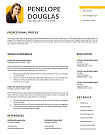
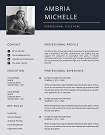
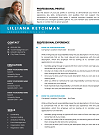
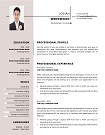
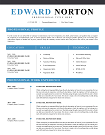
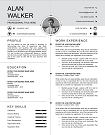
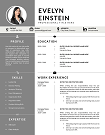
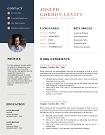
Stand out in any industry with our Professional Resume Templates, designed for impact and available in Word, PDF, and Google Docs. ATS-friendly, modern, and fully editable—these templates help you make a lasting first impression. Perfect for job seekers aiming for top-tier roles. Download now and elevate your career!
File size: 155 KB
Format: MS Word
Downloaded 17,414 times
License: Free, personal use only.
Download
Easily Access Your Resume Templates Today
Our CV Templates are designed for simplicity and effectiveness. Follow the steps below to customize and download your perfect resume.
Step-by-step Guide to Downloading
Choose a template that suits your style.
Customized Your Resume to Stand Out
Edit the template with MS word
Download and Prepare for Applications
Save Your customized CV as a PDF.
Resume Examples by Profession
Download our free professional resume examples. All of our examples have been designed and created by our career experts. Choose your professional profile and create your free resume in Microsoft Word now!
Unlock Your Career Potential with ATS-Friendly Resume Templates
Our Free Resume Templates are designed to be ATS-friendly, ensuring your application gets noticed by employers. Stand out in a competitive job market with professional designs that highlight your skills and experience.

Professional Resume Templates for 2026: Stand Out & Get Hired
Your resume is your first impression. With professional resume templates, you can present your skills, experience, and achievements in a polished format that recruiters trust.
Why Choose Professional Resume Templates?
Recruiters spend an average of 7 seconds scanning each resume (according to SHRM.org). A clean, well-structured resume ensures your key achievements aren’t overlooked. That’s where our templates come in.
- ATS-Friendly: Designed to pass Applicant Tracking Systems without formatting errors.
- Customizable: Edit in Microsoft Word or Google Docs with ease.
- Modern & Professional: Balances style with readability, suitable for any industry.
- Time-Saving: No need to build from scratch—just download, edit, and apply.
- Professional fonts and spacing for easy readability.
Who Are Professional Resume Templates For?
Our collection is perfect for job seekers at all career stages:
- Students & Graduates: Highlight skills and internships with clean layouts.
- Mid-Level Professionals: Showcase growing expertise and career progression.
- Executives: Emphasize leadership, achievements, and strategy-driven results.
- Career Changers: Focus on transferable skills while keeping the resume professional.
Industries We Serve
No matter your field, we’ve designed professional resume templates tailored to industry expectations:
- IT & Software Development
- Marketing, Sales & Digital Media
- Finance & Accounting
- Healthcare & Nursing
- Engineering & Architecture
- Education & Training
- Creative Industries
Customization Options
Every resume is unique—your template should be too. That’s why our designs allow you to:
- Change fonts, colors, and layouts to match your personal brand.
- Rearrange sections to highlight strengths (e.g., skills first for career changers).
- Add icons, charts, or infographics for creative roles.
- Save multiple versions for different job applications.
What Makes Our Templates Trustworthy?
Unlike free downloads that often break ATS systems, our templates are built using recruiter-approved guidelines. According to The Muse, keyword optimization plays a critical role in landing interviews. Our layouts are optimized to highlight skills and accomplishments naturally.
“I used a template from CV Templates Hub and landed two interviews within a week. The design was clean, professional, and so easy to edit.” — Sara, Marketing Manager
How Professional Resume Templates Help You Win
Here’s how a great template can transform your job search:
- Boost Visibility: ATS compatibility means your resume makes it to recruiters’ hands.
- Highlight Achievements: Structured sections draw attention to measurable results.
- Save Time: Instead of designing, you can focus on writing powerful bullet points. (Need help? See HBR’s guide to writing impactful achievements.)
- Global Standards: Our templates follow modern best practices, aligning with Europass CV standards for international applications.
Download Your Free Cover Letter!
Transform you job application with our professional, cover letter templates designed for 2025.
Blog
Resume Building Insights
Explore expert tips for crafting your perfect resume.
Discover essential, editable Word resume examples. Easy to edit, free to download — create your perfect resume in minutes. Start building now!

Learn how to write a resume with proven steps. Follow this easy guide and create a job-winning resume that gets you hired faster today!

Use our free online CV maker to create a professional resume in minutes. No design skills needed. Start now and land your dream job faster.

Learn which skills in a CV grab attention. Use our proven list to impress recruiters, pass ATS scans, and get hired faster. Start building now!

Wondering if your CV should be 1 or 2 pages? Discover the proven answer with expert tips. Learn what works best—start optimizing your CV now!

Discover essential resume/CV tips that help you stand out. Use these proven strategies to land interviews—start improving your resume today!
FAQs
Are these professional resume templates ATS-friendly?
Yes, all our designs are tested to pass ATS scans used by top employers.
Can I edit templates in Google Docs?
Absolutely. Each template comes in Word format, fully compatible with Google Docs.
Which industries are best suited for these templates?
We have templates for every industry—whether you’re applying to IT, finance, healthcare, or creative fields.
What’s the difference between a professional and basic resume template?
A basic template provides structure, while a professional resume template is designed to impress recruiters and pass ATS scans effortlessly.
Can I use these templates for international applications?
Yes. Our templates follow international formatting standards, including Europass guidelines.
How to Customize a Resume Template in MS Word?
Follow these steps to easily customize and use your CV template in Microsoft Word.
Download the Resume Template?
Click the download button on the CV Templates Hub website and save the .docx file to your computer.
Open the Template
Open the downloaded template in Microsoft Word or any compatible word processor.
Edit Personal Information
Replace placeholder information like name, contact details, and work experience with your own data.
Save and Export
Save the final version of your CV and export as PDF if required for online applications.