
Free Resume/CV Templates Download in Word, Google Docs, PDF
Today is a great day to level up your resume. Free resume templates in every style, format, and design you can imagine.

Best ATS-Friendly CV Templates for Every Industry
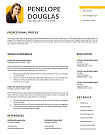
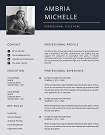
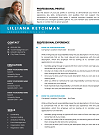
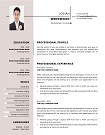
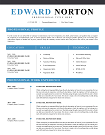
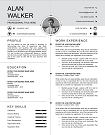
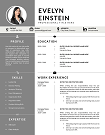
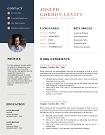
Boost your chances of landing interviews with our ATS-Friendly CV Templates—expertly crafted to pass applicant tracking systems without compromising design. Ideal for all industries, these templates ensure your resume gets seen by recruiters. Easy to edit and available in all popular formats!
File size: 424 KB
Format: MS Word
Downloaded 36,921 times
License: Free, personal use only.
Download
Easily Access Your CV Templates Today
Our CV Templates are designed for simplicity and effectiveness. Follow the steps below to customize and download your perfect resume.
Step-by-step Guide to Downloading
Choose a template that suits your style.
Customized Your CV to Stand Out
Edit the template with MS word
Download and Prepare for Applications
Save Your customized CV as a PDF.
Resume Examples by Profession
Download our free professional resume examples. All of our examples have been designed and created by our career experts. Choose your professional profile and create your free resume in Microsoft Word now!
Unlock Your Career Potential with ATS-Friendly CV Templates
Our Free CV Templates are designed to be ATS-friendly, ensuring your application gets noticed by employers. Stand out in a competitive job market with professional designs that highlight your skills and experience.

ATS-Friendly CV Templates: Get Past Applicant Tracking Systems
Did you know that over 75% of resumes never reach a human recruiter because they fail the ATS scan? If your CV isn’t optimized for Applicant Tracking Systems, you might be missing out on your dream job—even if you’re the perfect candidate. That’s why we’ve created ATS-Friendly CV Templates designed to help you get noticed.
What Are ATS-Friendly CV Templates?
ATS (Applicant Tracking System) is a software that employers use to filter and rank resumes before they even reach a recruiter. Our ATS-Friendly CV Templates are specifically structured to meet these requirements. They use clean layouts, keyword-optimized sections, and standard formatting to ensure your resume passes the scan.
Why Traditional CV Templates Fail ATS
Our templates avoid these mistakes while still looking modern and professional.
- Using complex designs with tables or graphics.
- Incorrect file formats (e.g., image-based PDFs).
- Lack of relevant keywords from the job description.
Benefits of Using ATS-Friendly CV Templates
- Pass ATS Filters: Proper headings, keyword-rich sections, and standardized formatting.
- Professional Design: Clean, recruiter-approved layouts that also appeal to humans.
- Customizable in Word: Easy to edit in Microsoft Word or Google Docs.
- Industry-Specific Options: Templates tailored for IT, healthcare, finance, marketing, and more.
- Time-Saving: Pre-built sections for experience, skills, and achievements.
Who Should Use ATS-Compatible CV Templates?
Our templates are ideal for:
- Job seekers applying through online portals like LinkedIn, Indeed, and company career pages.
- Professionals in competitive fields like IT, finance, marketing, healthcare, and engineering.
- Anyone looking to improve their resume’s visibility and beat ATS systems.
How Our ATS-Friendly Templates Work
- Choose a template that fits your career and industry.
- Edit it in Word or Google Docs with your details.
- Add job-specific keywords from the job description.
- Save in .docx or PDF (text-based) format for ATS compatibility.
Expert Tips to Make Your CV Even More ATS-Friendly
For detailed advice, check out our guide on How to Optimize Your Resume for ATS.
- Use exact keywords from the job description.
- Avoid images, icons, or charts that ATS cannot read.
- Stick to standard headings like “Work Experience” and “Education.”
- Use bullet points for achievements instead of paragraphs.
Industries Served by Our ATS-Compatible CV Templates
Whether you’re a software engineer, marketing manager, nurse, or finance executive, we have templates that match your industry’s standards. Our designs are used by professionals in:
- Information Technology
- Healthcare & Nursing
- Business & Finance
- Marketing & Sales
- Engineering & Technical Roles
Why Choose CV Templates Hub?
- 10,000+ Successful Downloads by job seekers worldwide.
- Professionally Designed & ATS-Tested layouts.
- Instant Download & Easy Editing.
- Secure payment and 100% satisfaction guarantee.
Download Your Free Cover Letter!
Transform you job application with our professional, cover letter templates designed for 2025.
Blog
Resume Building Insights
Explore expert tips for crafting your perfect resume.
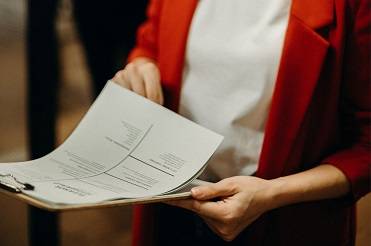
Discover essential, editable Word resume examples. Easy to edit, free to download — create your perfect resume in minutes. Start building now!

Learn how to write a resume with proven steps. Follow this easy guide and create a job-winning resume that gets you hired faster today!

Use our free online CV maker to create a professional resume in minutes. No design skills needed. Start now and land your dream job faster.

Learn which skills in a CV grab attention. Use our proven list to impress recruiters, pass ATS scans, and get hired faster. Start building now!

Wondering if your CV should be 1 or 2 pages? Discover the proven answer with expert tips. Learn what works best—start optimizing your CV now!

Discover essential resume/CV tips that help you stand out. Use these proven strategies to land interviews—start improving your resume today!
FAQs
What makes a CV template ATS-friendly?
ATS-friendly templates use simple formatting, standard headings, and keyword-rich sections so the ATS can read your resume correctly.
Do your templates work with all ATS software?
Yes, our templates are tested with popular ATS systems like Workday, Taleo, and Greenhouse.
Should I include graphics or logos in my CV?
No. Graphics can confuse ATS software. Stick to text-based formatting for best results.
Do you have templates for specific industries?
Yes, we offer ATS-friendly templates for IT, finance, marketing, healthcare, and more.
How do I know if my resume will pass ATS?
You can use free ATS checkers like Jobscan to test your resume after customization.
How to Customize a CV Template in MS Word?
Follow these steps to easily customize and use your CV template in Microsoft Word.
Download the CV Template?
Click the download button on the CV Templates Hub website and save the .docx file to your computer.
Open the Template
Open the downloaded template in Microsoft Word or any compatible word processor.
Edit Personal Information
Replace placeholder information like name, contact details, and work experience with your own data.
Save and Export
Save the final version of your CV and export as PDF if required for online applications.